The CSS change that the default screenshot misses
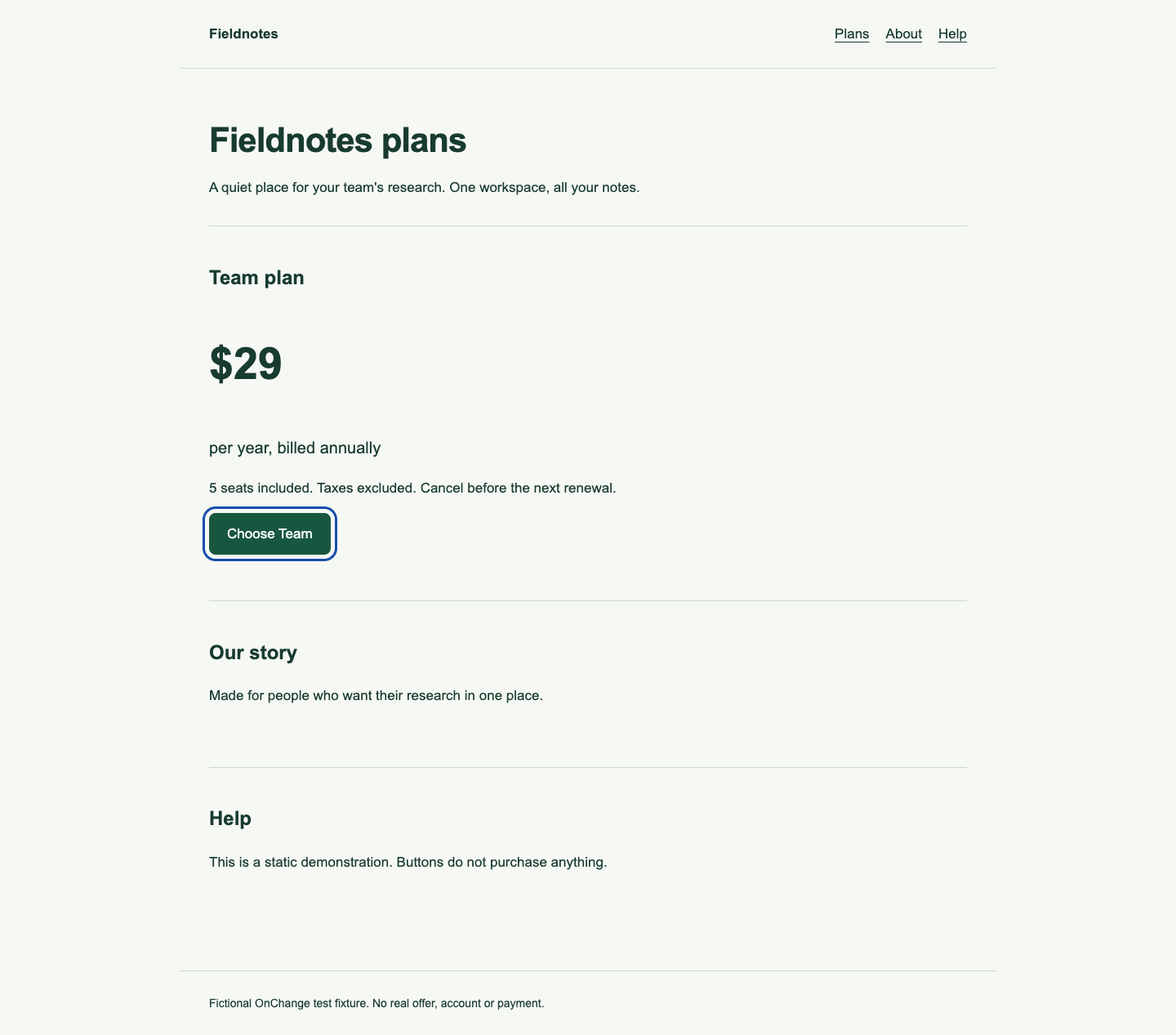
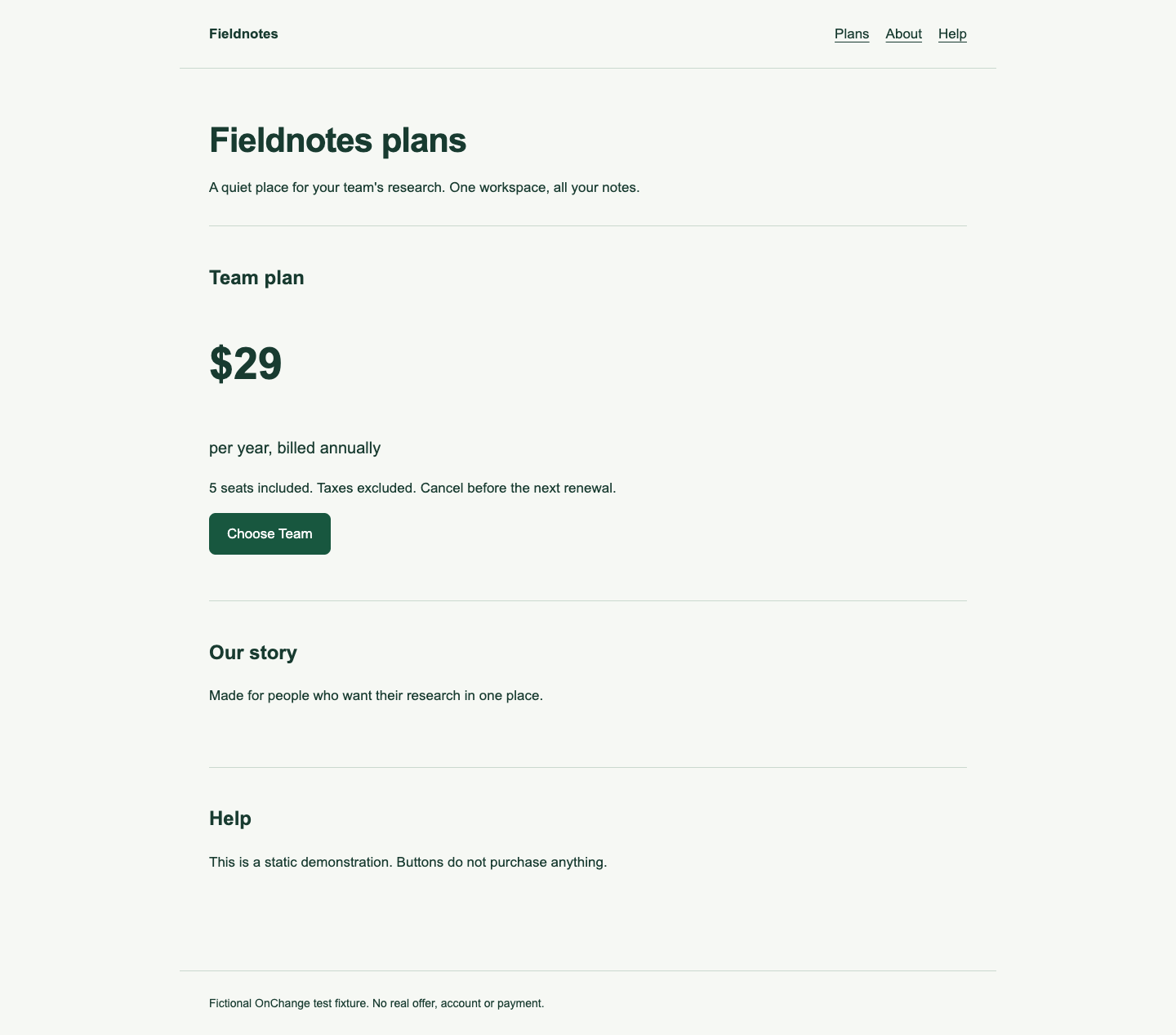
The before fixture has a three-pixel blue outline for :focus-visible. The after fixture adds a rule that removes that outline. Both still have the same native button, label and tab order. Before interaction, their desktop screenshot hashes match. The mobile screenshot hashes match too.
The harness then pressed Tab four times, moving through the three navigation links to the “Choose Team” button. The active element was choose-plan in both files. Its computed outline changed from solid / 3px to none / 0px.
Scroll horizontally to see all columns.
| Check | Before | After |
|---|---|---|
| Unfocused page pixels | Identical | Identical |
| Button reached by four Tab presses | Yes | Yes |
| Computed focus outline | Solid, 3px | None, 0px |
| What this establishes | This fixture displays an outline | This fixture removed that indicator |
| What it does not establish | Full keyboard or WCAG coverage | A site-wide conformance result |
Inspect the focused state
The before capture below shows the blue outline around the focused button.
After the CSS change, the same button is active but the outline is gone.
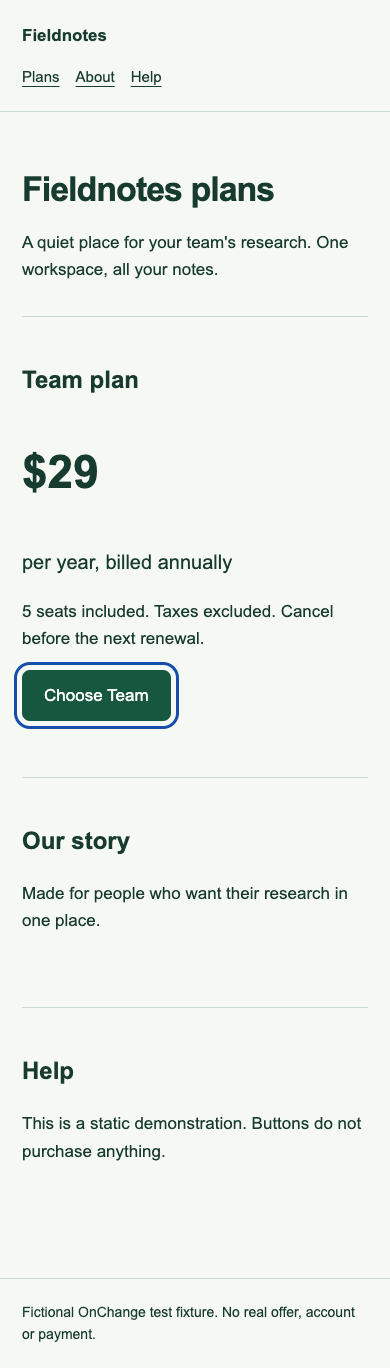
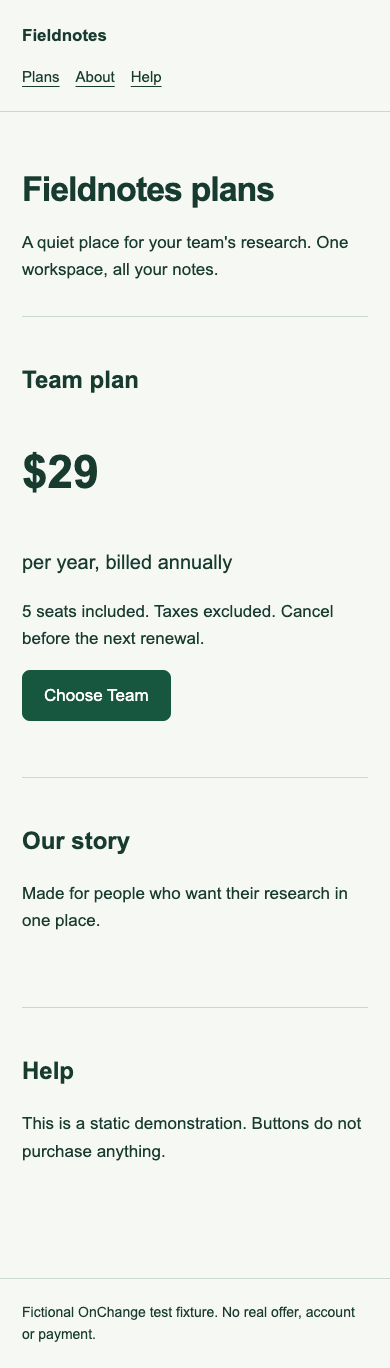
Try the before fixture and after fixture with your keyboard. The fixture buttons perform no purchase. Mobile focused captures are available before and after. The JSON record contains the active-element and computed-style observations.
Decide what becomes uncertain
Scroll horizontally to see all columns.
| Existing evidence | Decision | Reason | Next action |
|---|---|---|---|
| Visible focus on the shared button style | Affected by the demonstrated rule | The focus presentation changed | Inspect every affected control and interaction state |
| Target text and button role | Those observed fields match | Matching fields do not establish matching presentation | Keep them as partial evidence, not full approval |
| Other targets using the changed stylesheet | Uncertain until scoped | A shared CSS file can affect targets outside this screenshot | Review the dependency and retest relevant states |
| Screen-reader behavior | Not tested | No assistive-technology session was run | Complete the session required by your audit scope |
| Missing stylesheet archive | Cannot determine | The comparison lacks an input needed for continuity | Recover evidence or perform a new evaluation |
The OnChange evidence comparator does not claim selector-level proof that a changed stylesheet is harmless. Changed or missing stylesheet evidence prevents automatic carry-forward even when a target's text is unchanged. This is a deliberate boundary of the current comparison, not a statement that every CSS edit causes a failure everywhere.
Retest more than the first button
Use the keyboard to visit the site's actual controls, including links, buttons, form inputs and any custom widgets. Check whether focus remains visible in each state. Compare normal and high-contrast or forced-color modes when those environments are in scope. Confirm that a sticky header or overlay does not hide the focused control.
W3C's Focus Visible explanation describes the need for a visible keyboard-focus indicator. Keyboard covers operating functionality; merely receiving focus does not prove an action can be completed. For layout changes, Reflow is a separate question that calls for its own test conditions.
Save screenshots of the focused states and record how you reached them. A static screenshot of the unfocused page is insufficient for this task. If you restore the rule, repeat the task on the corrected version and connect the new evidence to the same issue. Preserve the failed observation rather than replacing it silently.
Reuse the decision record
Download the CSV retest worksheet or Markdown version. For this example, describe the changed :focus-visible rule, the #choose-plan target, four Tab presses from page load, the observed outline values and the remaining untested environments.
Use “cannot determine” when an artifact or dependency is missing. Use “not tested” when the task has not been performed. Reserve a pass or approval for a stated test scope, result and actual reviewer decision. An automated scan cannot by itself establish accessibility conformance, as W3C's evaluation overview explains.
Method and review status
On 13 October 2026 at 17:14 UTC, the harness used Chrome 155.0.8059.40 on macOS at 1440 × 900 and 390 × 844, scale 1. It captured the unfocused state, sent four Tab key presses, read the active element and computed outline, and captured the focused state. The fixture has no focus-dependent animation or network resources.
This is an actual automated browser interaction with authored test fixtures. Manual steps above are recommendations; they are not represented as completed human or screen-reader testing. Published by OnChange as an editorial worked example, with no independent specialist sign-off claimed. Initial edition, 13 October 2026. Download the fixture source and reproduction notes and self-contained reproduction kit.