The observed change
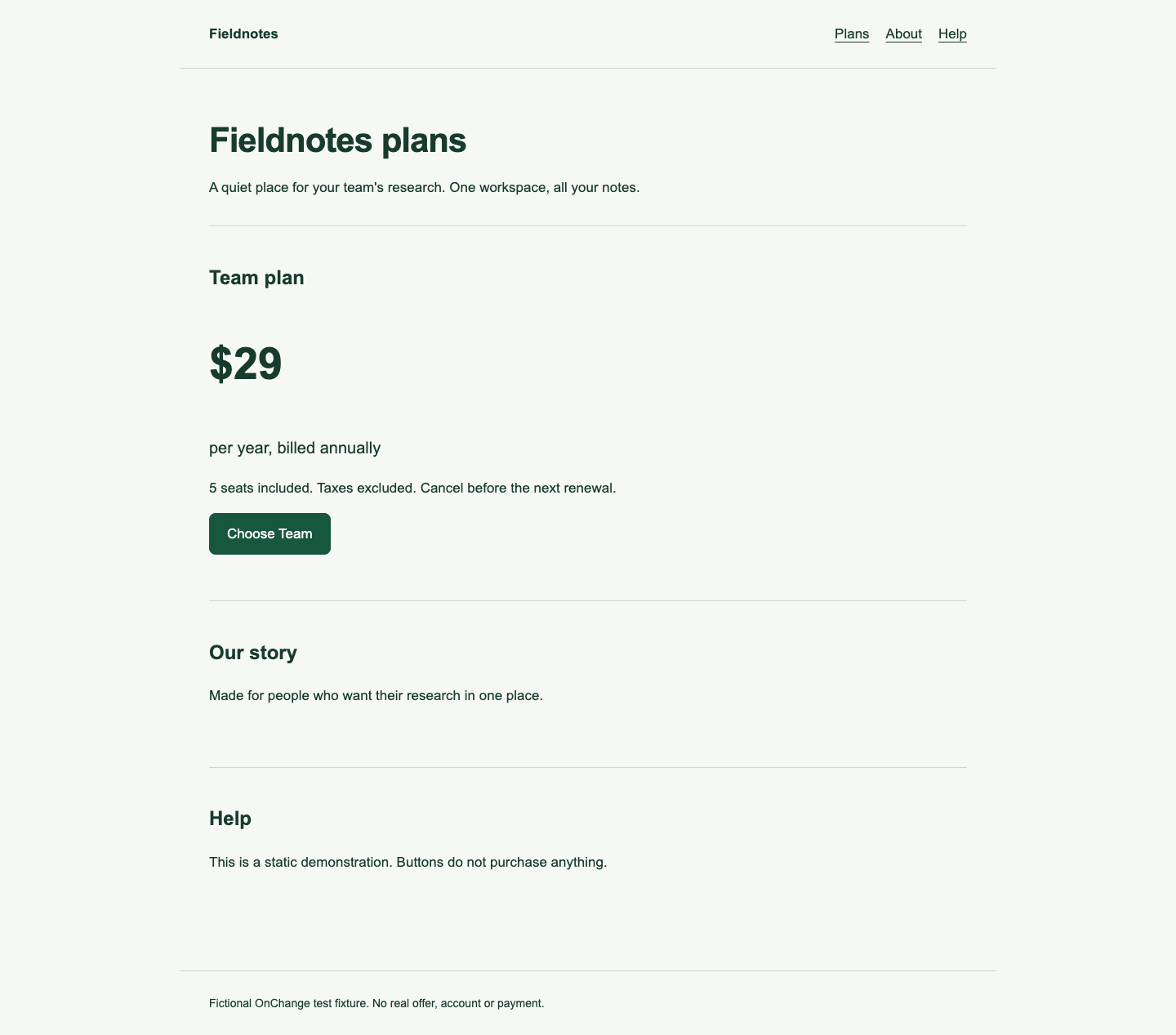
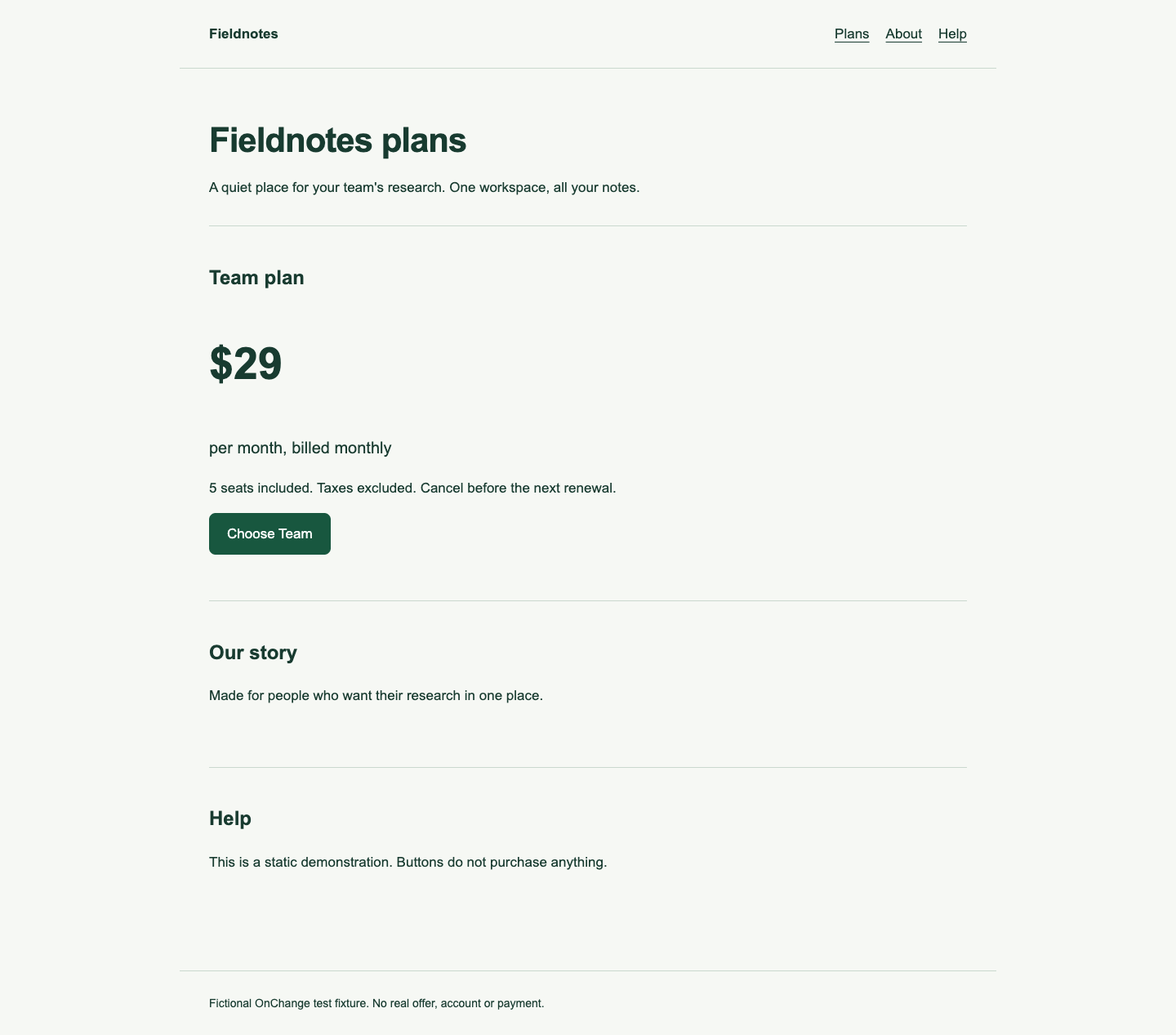
Fieldnotes is a fictional product created for this experiment. The two pages offer the same five seats in USD. The amount is still 29. The changed fields are the billing period and commitment wording.
Scroll horizontally to see all columns.
| Field | Before | After |
|---|---|---|
| Displayed amount | $29 | $29 |
| Billing period | Per year | Per month |
| Billing wording | Billed annually | Billed monthly |
| Included quantity | 5 seats | 5 seats |
| Cost over 12 months | $29 | $348 |
The annual comparison assumes twelve monthly renewals, no cancellation, no discount and no tax. It is a calculation for these fixtures, not a claim about an actual subscription. $29 × 12 = $348. The difference is $348 − $29 = $319, or 1,100% above the original annual cost. The new annual total is 12 times the old total; it is not a 12% increase.
Inspect the before and after
The captured desktop page before the edit shows “per year, billed annually.”
The page after the edit shows “per month, billed monthly.” The price numeral, quantity and cancellation sentence remain the same.
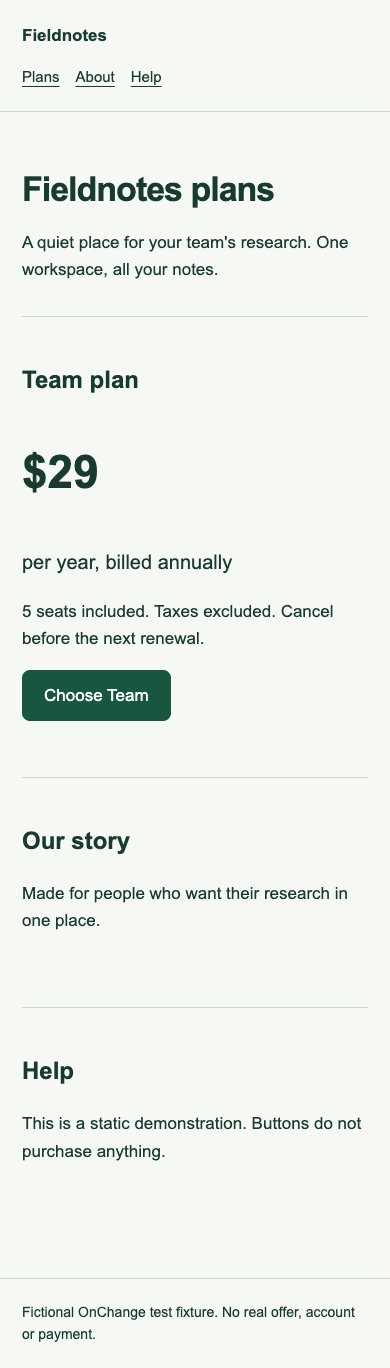
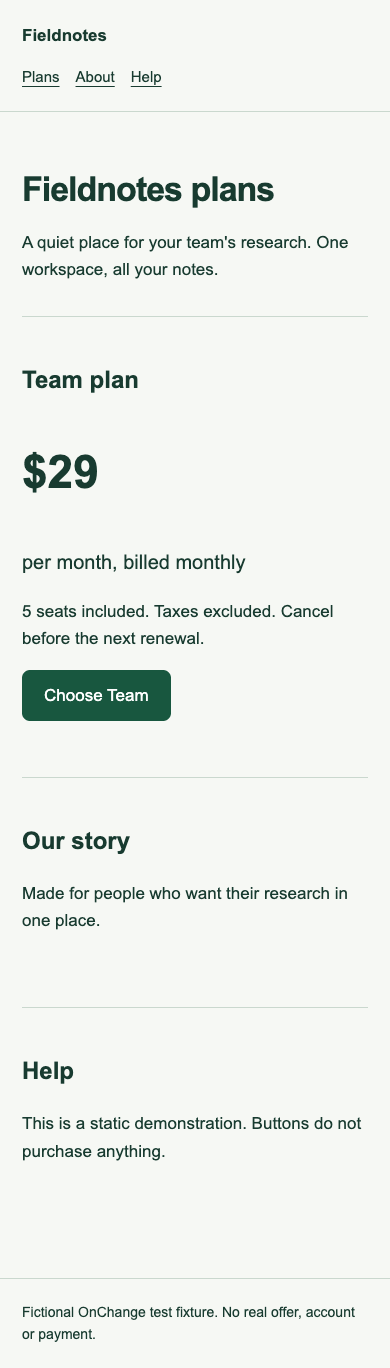
Open the before fixture and after fixture. Mobile captures are also available: before at 390 pixels and after at 390 pixels.
Why an amount-only monitor misses this
A rule that extracts only [data-amount] correctly reads 29 in both versions. Its narrow observation is unchanged. That observation does not describe the whole offer.
Store the amount alongside currency, billing period, payment commitment, included quantity and plan identity. Preserve a screenshot and the surrounding terms so a reviewer can resolve details such as an annual contract advertised at a monthly equivalent. Do not multiply a displayed monthly equivalent again if the offer already states an annual total.
For this fixture, [data-period] changes from year to month and [data-commitment] changes from annually to monthly. These attributes are explicit teaching selectors. Real websites may require different selectors or a broader captured region.
A useful review decision
The worked decision is review the commercial terms, even if an amount threshold never fires. Record the old and new period with the amount, attach the evidence and route it to the person who owns pricing research. Do not infer when the business made the change more precisely than the observed capture interval.
In a competitor board, map separate tracked fields for amount and period. The board displays captured values; a person still needs to establish whether the two observations represent the same plan, market, tax treatment and offer. A missing billing period should become an open question, not an assumed monthly plan.
Method and limits
On 13 October 2026 at 17:14 UTC, the local editorial harness captured both files with Chrome 155.0.8059.40 on macOS, in English, at 1440 × 900 and 390 × 844 CSS pixels with device scale 1. It read the rendered text, metadata and tracked fields. The assertions confirmed that the amounts matched and the periods differed.
These are actual browser captures of authored fixtures. No customer data, live competitor offer or purchasing flow was used. The example does not establish how often this change happens on the web. All 28 captures across this collection, exact timestamps, SHA-256 file hashes and the seven checked assertions are in the JSON evidence record.
Download all fixture source files (ZIP) and the reproduction notes and self-contained reproduction kit. The capture script records the environment so a later run can be compared honestly. Browser or font differences can change image hashes.